
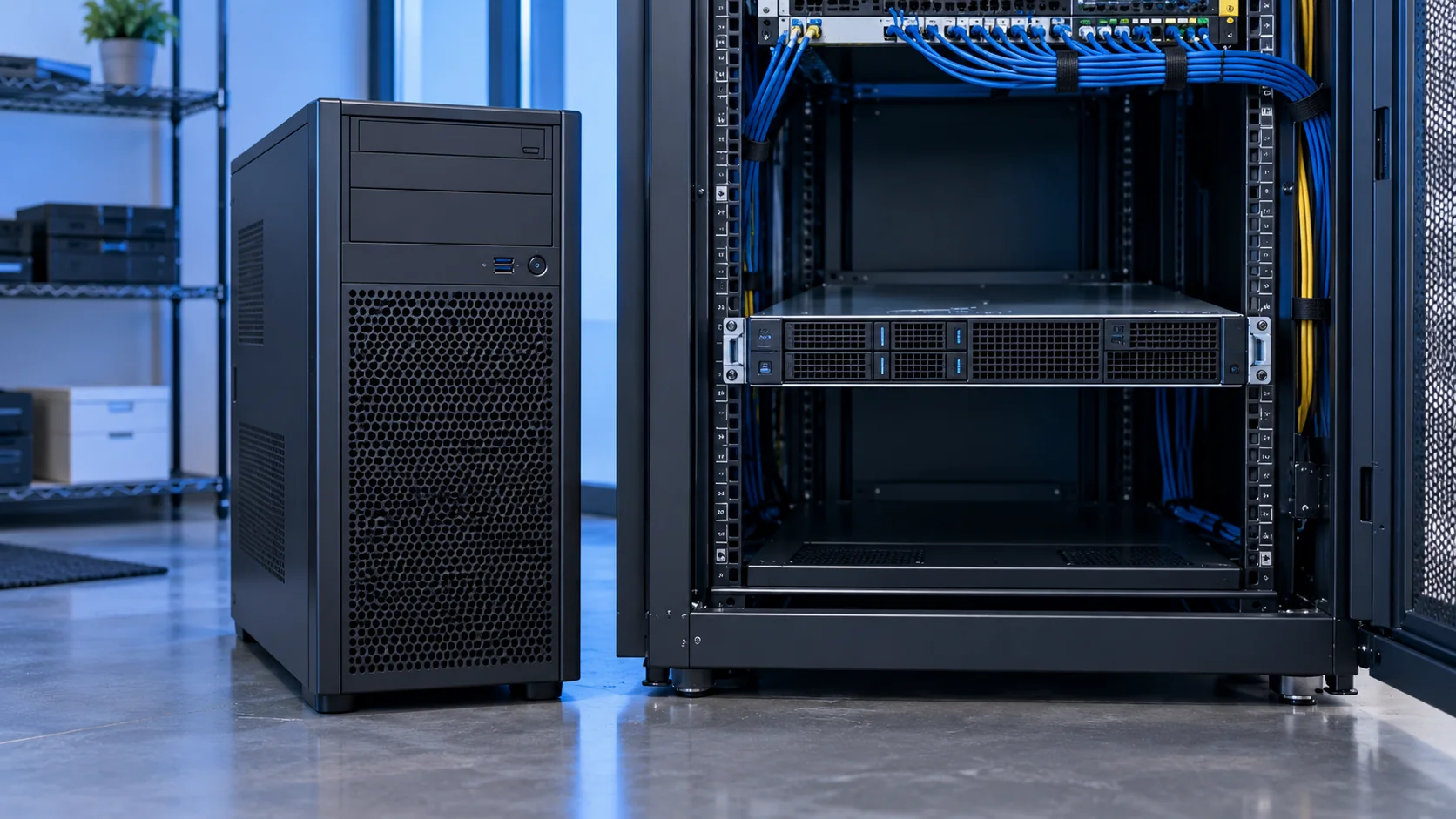
Sooner or later, most growing businesses hit the point where a few desktop computers and a shared folder aren't enough. Maybe it's an accounting system that needs a proper database, a file server for a growing team, or a need to run backups and applications that can't depend on someone's individual laptop staying switched on. That's the moment "we need a server" comes up — and shortly after, the question of tower versus rack.
It's a more practical decision than it might sound, and getting it right early saves you from an awkward, expensive switch later.
The basic difference
A tower server looks and sits like an oversized desktop computer — it stands upright, has its own case, and doesn't need any special furniture or infrastructure. You can put it in a store room, under a desk, or in a small office corner.
A rack server is a flat, wide unit designed to slide into a server rack — a standardised metal frame, typically measured in "U" units, that stacks multiple servers, switches, and networking equipment vertically in one cabinet. Rack servers don't stand alone; they need the rack itself, and usually a dedicated space or room designed around that infrastructure.
Both do the same fundamental job — running your business applications, storing data, managing your network — but they're built for very different environments and growth paths.
When a tower server is the right call
You're setting up your first server, or your only server. For most SMEs, NGOs, schools, and single-branch businesses, one server handling file storage, backups, and perhaps an accounting or point-of-sale database is enough. A tower server, like the HPE ProLiant ML30 Gen10 or Dell PowerEdge T150, covers this without requiring you to invest in a rack, specialised cooling, or a dedicated server room.
You don't have (or want) a dedicated server room yet. Towers are quiet enough and self-contained enough to sit in a locked office or store area. This matters a lot for smaller premises where a purpose-built server room simply isn't practical or affordable yet.
Budget efficiency matters more than density. Tower servers are generally more cost-effective for running one or two independent workloads, since you're not paying for rack infrastructure you don't yet need.
You expect modest, gradual growth. If you're adding a handful of users per year rather than scaling rapidly across multiple locations, a tower server (or two, over time) will comfortably keep pace.
When a rack server makes more sense
You're running multiple servers, or plan to soon. Once you need more than two or three servers — for example, separating your database server, application server, and backup server — a rack setup becomes far more practical. Stacking rack units vertically uses a fraction of the floor space that the equivalent number of towers would require.
You have (or are building) a proper server room. Rack servers assume a degree of supporting infrastructure: a rack cabinet, structured cabling, and usually better-managed cooling and power backup. If you're investing in that infrastructure anyway — for a data centre, a larger office, or a growing IT department — racks are the standard for a reason.
Standardisation and management matter to your IT team. Rack environments are built around consistency: uniform mounting, centralised power distribution units, and networking equipment (switches, patch panels) that lives in the same cabinet. This makes life considerably easier for an IT team managing multiple systems, since everything is organised, labelled, and accessible in one place rather than scattered across a room.
You're planning for scale. Businesses anticipating rapid growth — more branches, more staff, more applications — benefit from starting with rack infrastructure even if the first deployment is small, because adding the next server is simply a matter of sliding another unit into the existing rack, rather than finding floor space for another standalone tower.
Cost considerations beyond the server itself
This is where a lot of first-time buyers get caught out. A tower server's total cost is close to just the unit itself, plus normal power and networking. A rack server's total cost includes the rack cabinet, potentially a dedicated cooling solution, an uninterruptible power supply (UPS) sized for the rack, and often a level of structured cabling that a tower setup doesn't need. If you're pricing your first server purchase and rack infrastructure isn't already in place, factor in these additional costs before comparing sticker prices directly.
A practical way to decide
Ask yourself these questions:
- How many servers will I realistically be running in the next 2-3 years? One or two — tower is fine. Three or more, and growing — start thinking rack.
- Do I have, or am I building, a dedicated server room or cabinet space? If not, and it's not in the near-term plan, a tower avoids forcing that investment prematurely.
- Is floor space a genuine constraint? In a small office, a rack cabinet can be a more efficient use of a limited footprint than several standalone towers scattered around.
- Does my IT setup benefit from centralised, standardised infrastructure? If you already have (or are hiring) dedicated IT staff managing multiple systems, racks tend to make their job considerably easier.
- What's my full budget, not just for the server, but the infrastructure around it? Compare total cost of ownership, not just the unit price.
Choosing the right server for your setup
Neither option is objectively "better" — they solve different problems at different stages of growth. Most businesses in Kenya start with a tower server, and that's usually the right call: it's cost-effective, doesn't demand infrastructure you haven't built yet, and comfortably handles the workload of a single growing office. The shift to rack infrastructure tends to make sense once you're managing multiple servers, have invested in a proper server room, or are deliberately building for scale across several locations.
If you're not sure which category your business falls into, it's worth having the conversation before buying rather than after — the wrong choice here isn't fatal, but it usually means paying twice: once for the server you didn't quite need, and again for the one you actually did.
Products mentioned in this guide
Compare the actual specifications and ask Skymax about a configuration that fits your work.